You have the ability to disable lock activity at the Unit or Site level. This setting intercepts all messages to the unit controllers and disables them if they are not from Organisation Managers, Site Managers or Installers.
Disabling the Lock for A Unit
To disable the lock for a specific unit, navigate to the Units section on the sidebar and then...
- Select the Unit you wish to modify
- On the mid-right corner of the Unit Details page, you can see a drop-down menu marked Actions. Select **Edit** from the actions list to enter the Edit Unit page.
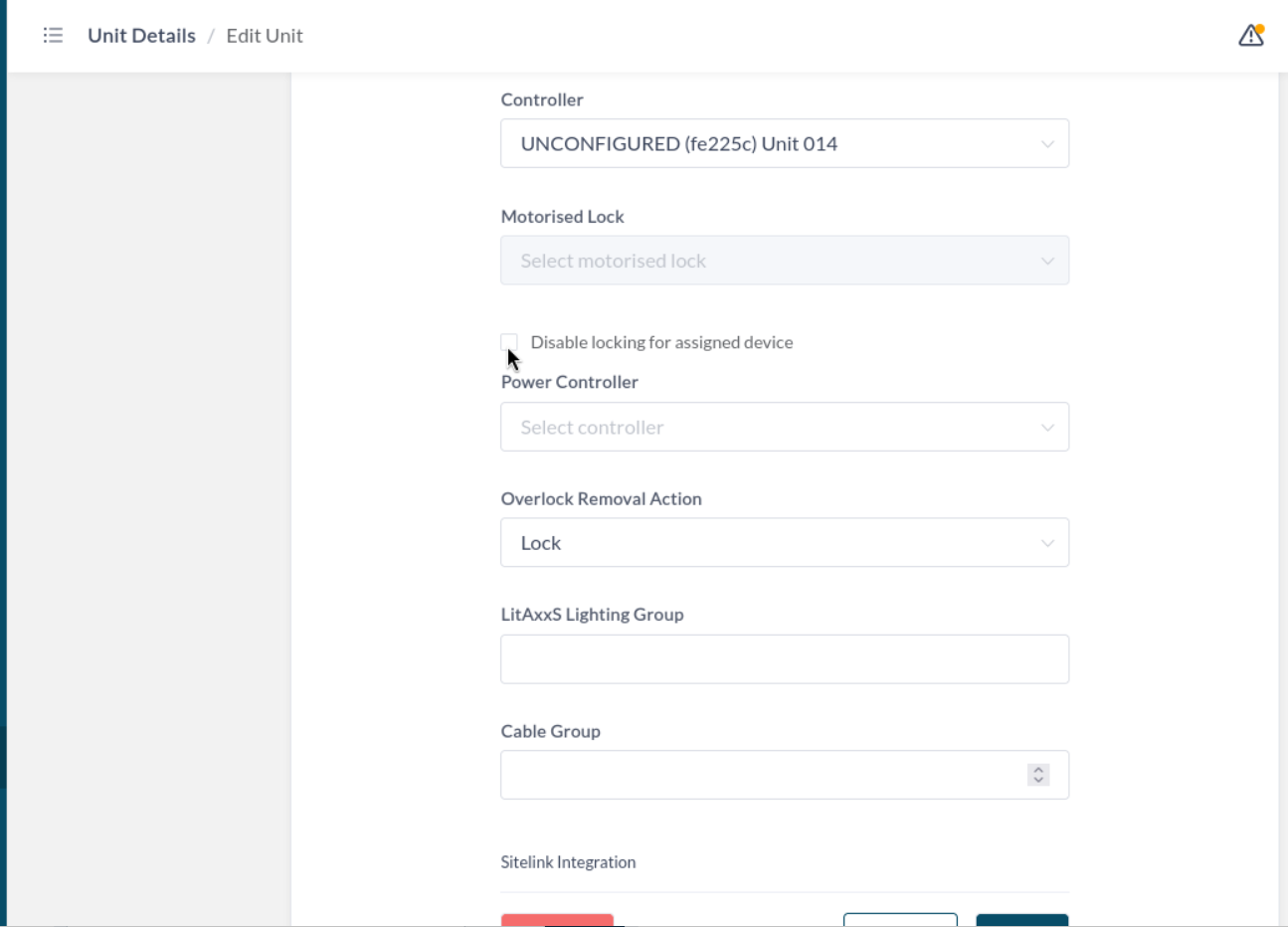
- Find the checkbox on the Edit Unit page marked **Disable locking for assigned device**. This option is pictured below.
- Press save. This setting will propagate to the hub for the future until it is disabled in the same location.
The setting is pictured below.
Disabling the Locks for An Entire Site
You also have the ability to extend this rule to the entire site. Be aware that this cannot be overridden by a unit setting, and applies to all units equally.
To do this, go to the Sites section on your sidebar under the Site Category, and select the site that you wish to change. From there, follow these steps:
- On the mid-right corner of the Site Details page, you will see a dropdown marked Actions, which contains Edit and Delete. Select Edit.
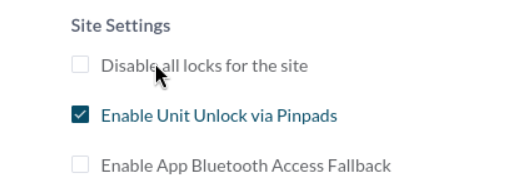
- This will bring you to the settings page for the site. Under the Site Settings section, you'll see a checkbox marked **Disable all locks for the site**.
- Check or uncheck this setting, and then click Save at the bottom of the page.
This setting is also pictured below.
Be aware that, as in the Site Setting section, Disabling the locks for the entire site will do this unilaterally and does not care about what you've set for any individual unit. You must modify the units you want to, or choose to disable all of them at once.
Was this article helpful?
That’s Great!
Thank you for your feedback
Sorry! We couldn't be helpful
Thank you for your feedback
Feedback sent
We appreciate your effort and will try to fix the article