By Setting a Unit's Overlock Removal action, you can enforce per-customer what should happen when their units are free for them to use again.
By default, our system locks units when we un-overlock them. This is a secure setting and good for most situations. However, you can change this to instead tell the unit to unlock.
Modify A Unit's Overlock Removal Behavior
To change the unit's overlock behavior, you must find the unit you're looking to update in the units page for the relevant site.
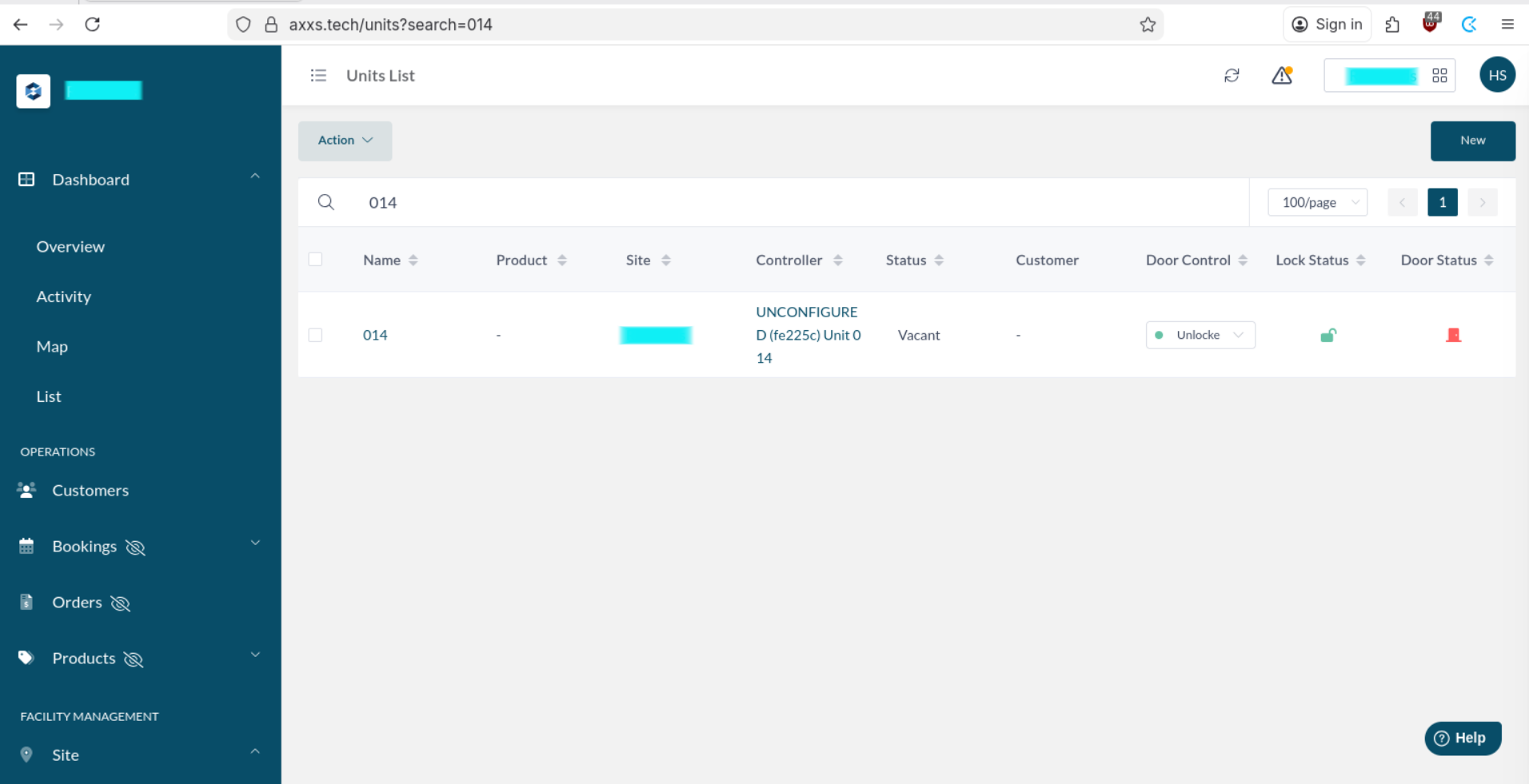
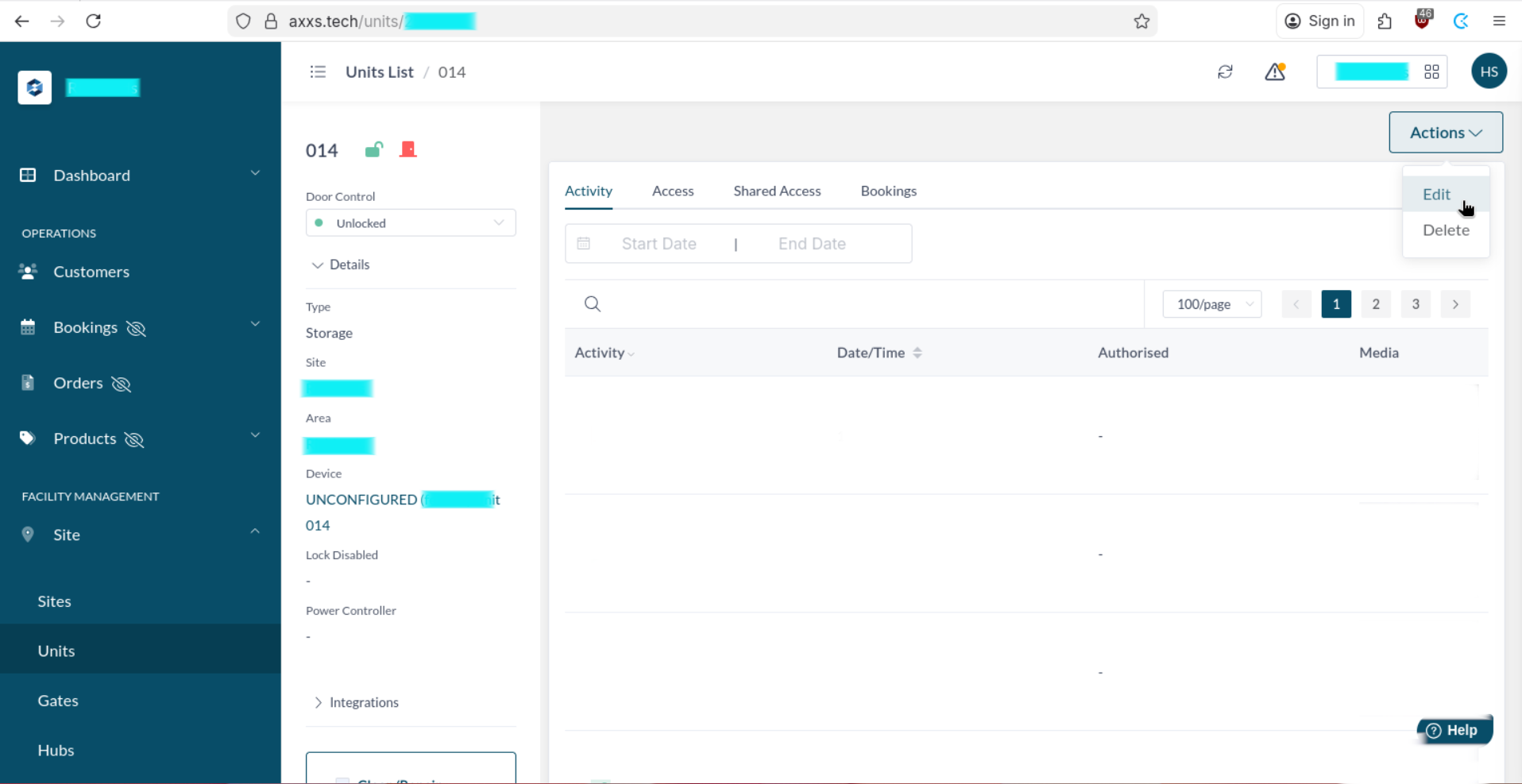
Click the unit's name to enter its details page, then use the actions dropdown to find the Edit function.
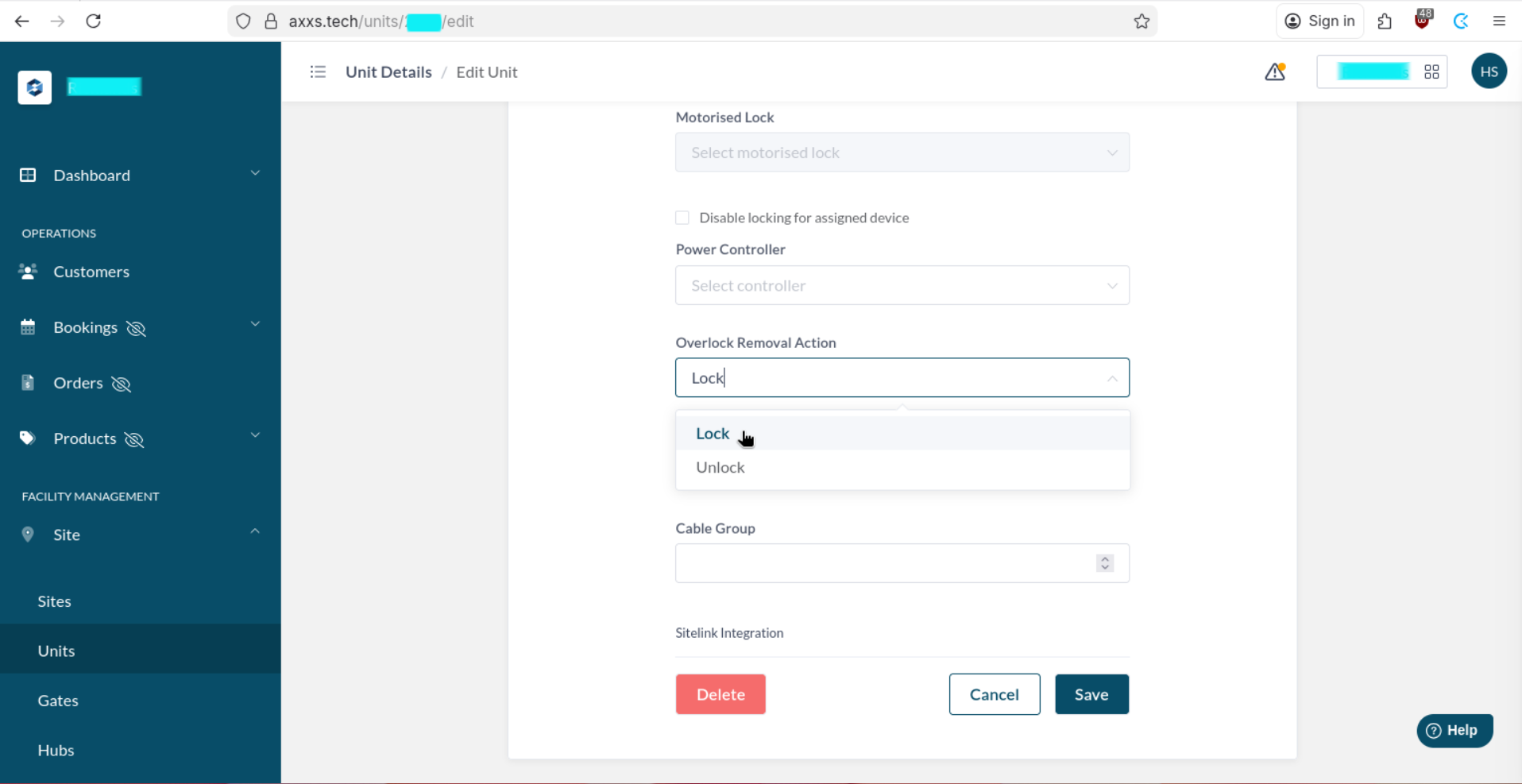
This will bring you to the Unit Edit page, where you can towards the bottom decide what you would like to set the Overlock Removal Action - either to Lock or Unlock. This defaults to Lock. Go ahead and change this as desired...
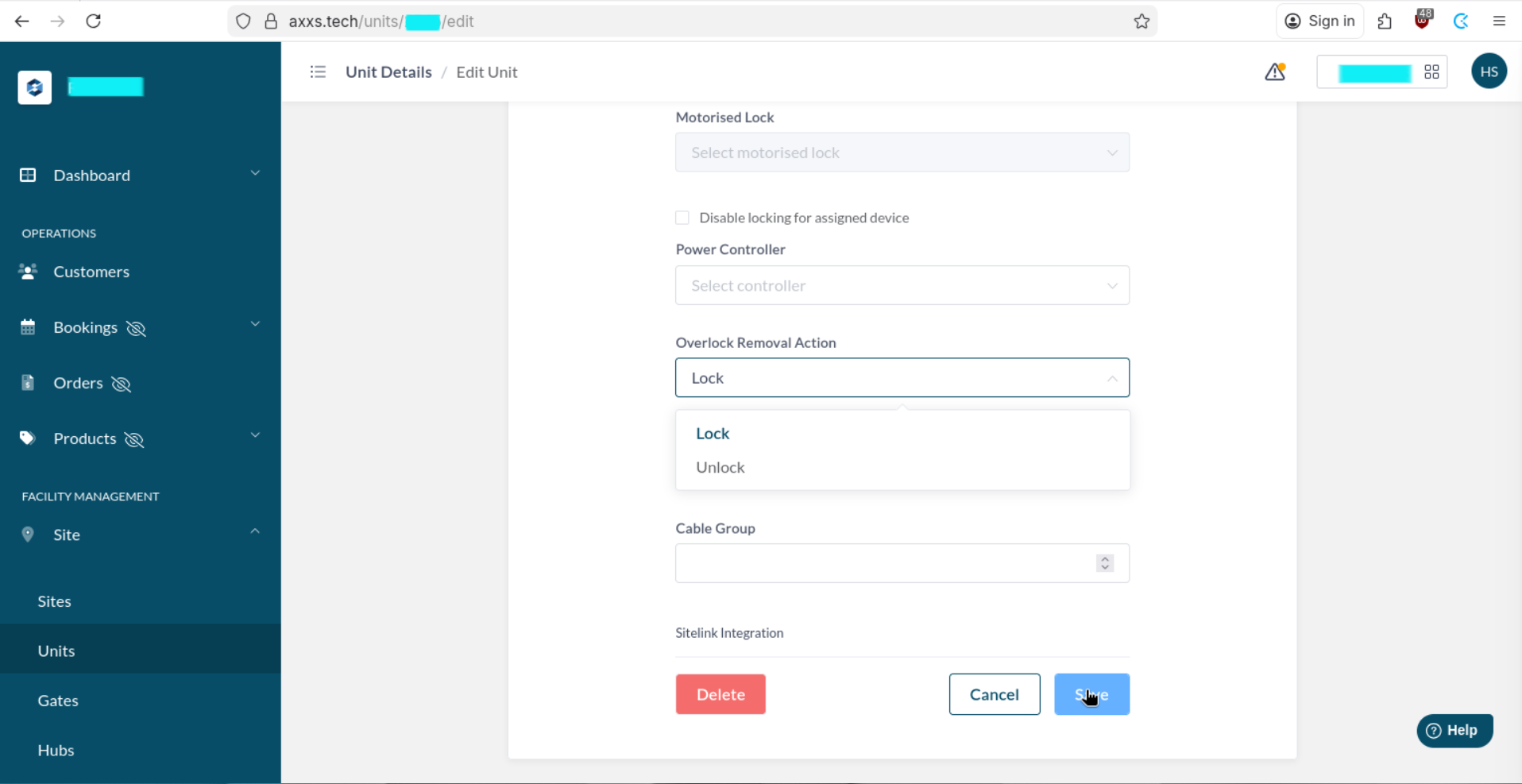
And then click save.
Was this article helpful?
That’s Great!
Thank you for your feedback
Sorry! We couldn't be helpful
Thank you for your feedback
Feedback sent
We appreciate your effort and will try to fix the article